Keycloak Selector - Easy Flow Design

Intro
Keycloak is a well-established open-source Identity and Access Management (IAM) solution released under the Apache 2.0 license. It was originally developed by Red Hat and, since 2023, has been part of the Cloud Native Computing Foundation (CNCF).
Keycloak is written in Java and is highly customizable. In my experience, it is also fairly easy to configure and brand. It provides the core features you would expect from an IAM platform, such as support for modern federation protocols (OAuth 2.0 and OpenID Connect), identity brokering and social logins, an extensible authorization model, and basic user management.
I have used Keycloak in several projects, from small and relatively simple setups to more complex integrations. Overall, it is a powerful tool, but some parts require a deeper understanding to use effectively.
One such area is authentication flows. Keycloak gives you a lot of flexibility in how you design them, but this flexibility can also be confusing. For simple flows, the step-by-step view in the Admin UI works well. Once you start adding conditions or alternative paths, the flow logic and its visualization become much harder to follow, which can make complex setups difficult to understand and maintain.
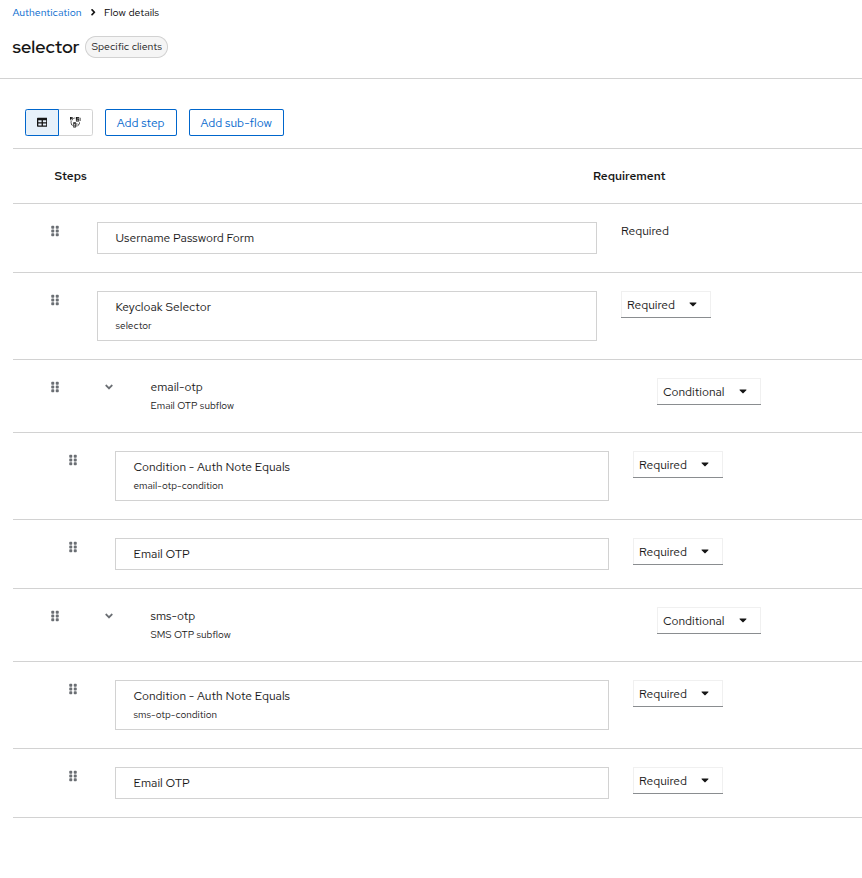
Luckily, you can switch to the diagram view and, after a bit of manual cleanup, see the authentication flow laid out visually, as shown in the diagram below. 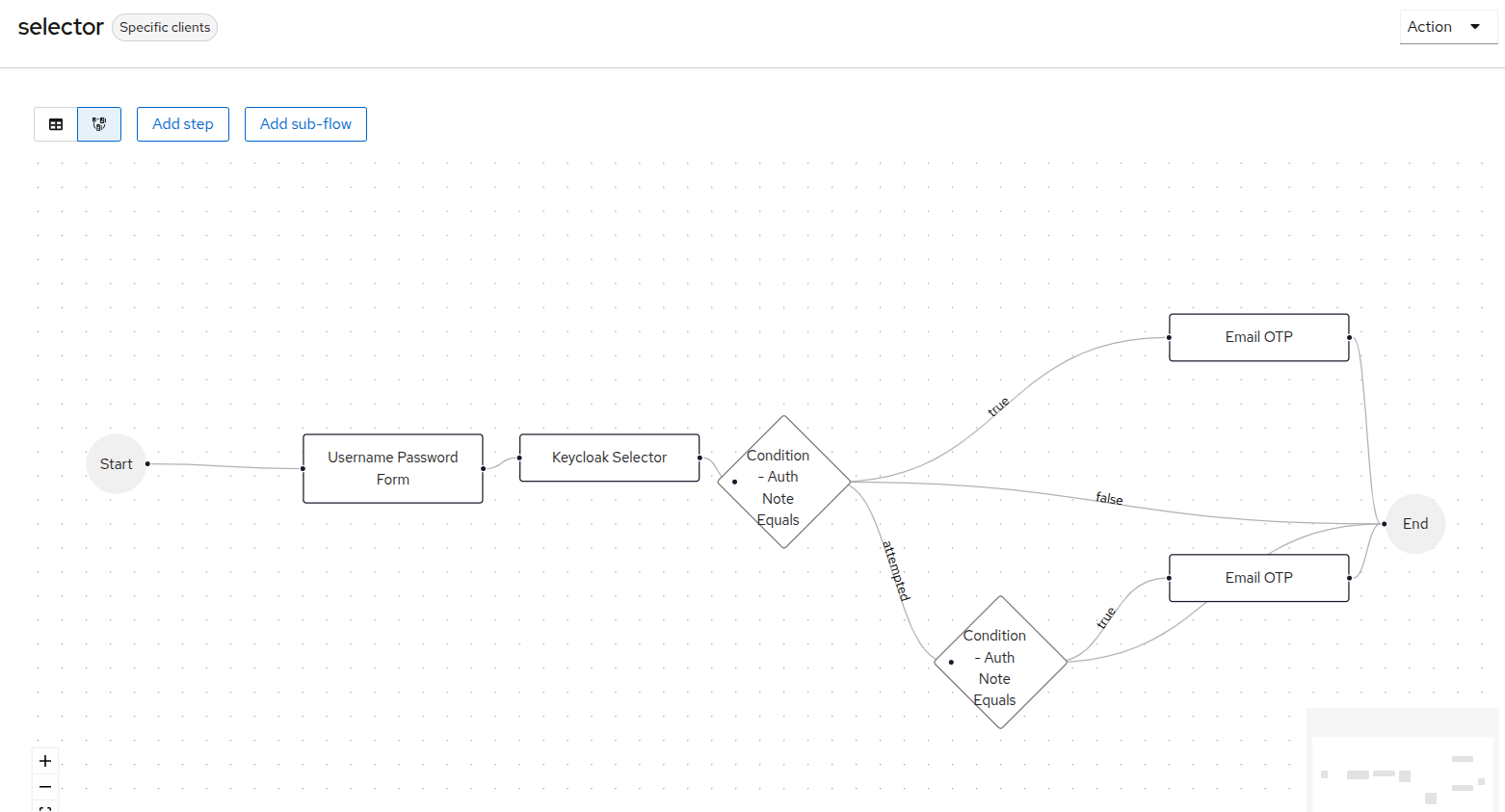
With, this knowledge we can move to the task.
Task
At first, the use case looked simple. Without thinking too much about it, I told the client it would be easy to implement.
So what was the actual requirement?
- After password-based login, the user should see a screen where they can choose an authentication method.
- All options should be visible, even if the user has not registered or enabled a given method.
- Some options should appear disabled (for example, methods planned for the future).
- The solution should be easy to configure and easy to brand.
Sounds easy, right?
Well… a quick Google search shows multiple open discussions on the Keycloak forums about exactly this problem:
https://forum.keycloak.org/t/how-to-show-auth-method-selection-box/30191/2
https://forum.keycloak.org/t/select-login-method-as-default/25994
A few hours later, I realized that I couldn’t easily build the flow I wanted without writing custom code. Since I was already working on a new Keycloak extension that could be reused in different scenarios (for example, combining authenticator selection with other alternative flows), I decided to publish it as open source.
Keycloak Selector
And here it is: the Keycloak Selector extension. It’s simple (literally just a few classes), but it allows you to build authentication flows based on user choice. Configuration is done using a JSON object that defines the available options, CSS styles, and values.
From a technical point of view, the extension provides one authenticator (method-selection-authenticator) and one condition (auth-note-equals-condition). Using these two building blocks, you can model a user-driven selection experience with Keycloak subflows.
Repository: https://github.com/kepuss/keycloak-selector
Demo
The repository contains a demo configuration to execute the flow and see the Keycloak Selector in action.
Summary
Sometimes, tasks that look simple are not so easy to achieve with out-of-the-box solutions. That was exactly the case with my authentication method selection flow. Since I’m probably not the only one with this requirement, I hope the Keycloak Selector extension will help others save time and avoid similar frustration.